USA spare instruction
- Go to USA folder and create a folder with the ordernumber, Customer name and Ticket ID
( USA folder is ;
\\miclaser\m$\Operations\Export\50_Spares_Machines_Electronic_Filing\USA\2021\Spare
Example ;

In that folder you save ;
- Pickinglist ( that you receive from the warehouse)
- Proforma ( that you create)
- COC doc (that you create)
- TSCA
- UPS tracking
- UPS label
- How to create a proforma:
Create the Proforma Invoice only for the items being shipped. If the entire order is not being shipped, exclude any unshipped items from the Proforma.
• Navigate to OIS150 and create a Proforma Invoice for the Delivery Number listed in the picking list.
• Search for the Customer Order (CO) number and ensure the Delivery Number matches the one shown in the picking list.
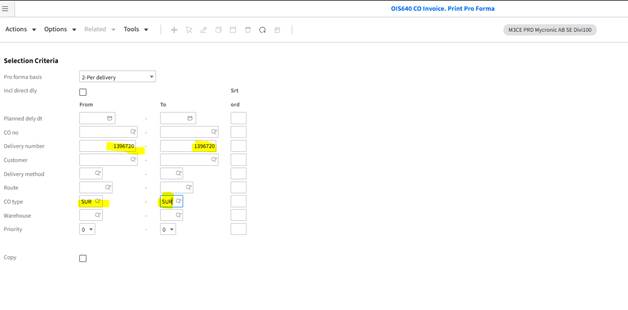
Part delivery to be shipped:
- Enter CO type, and proforma basis – 2 Per delivery. And the delivery number as per below
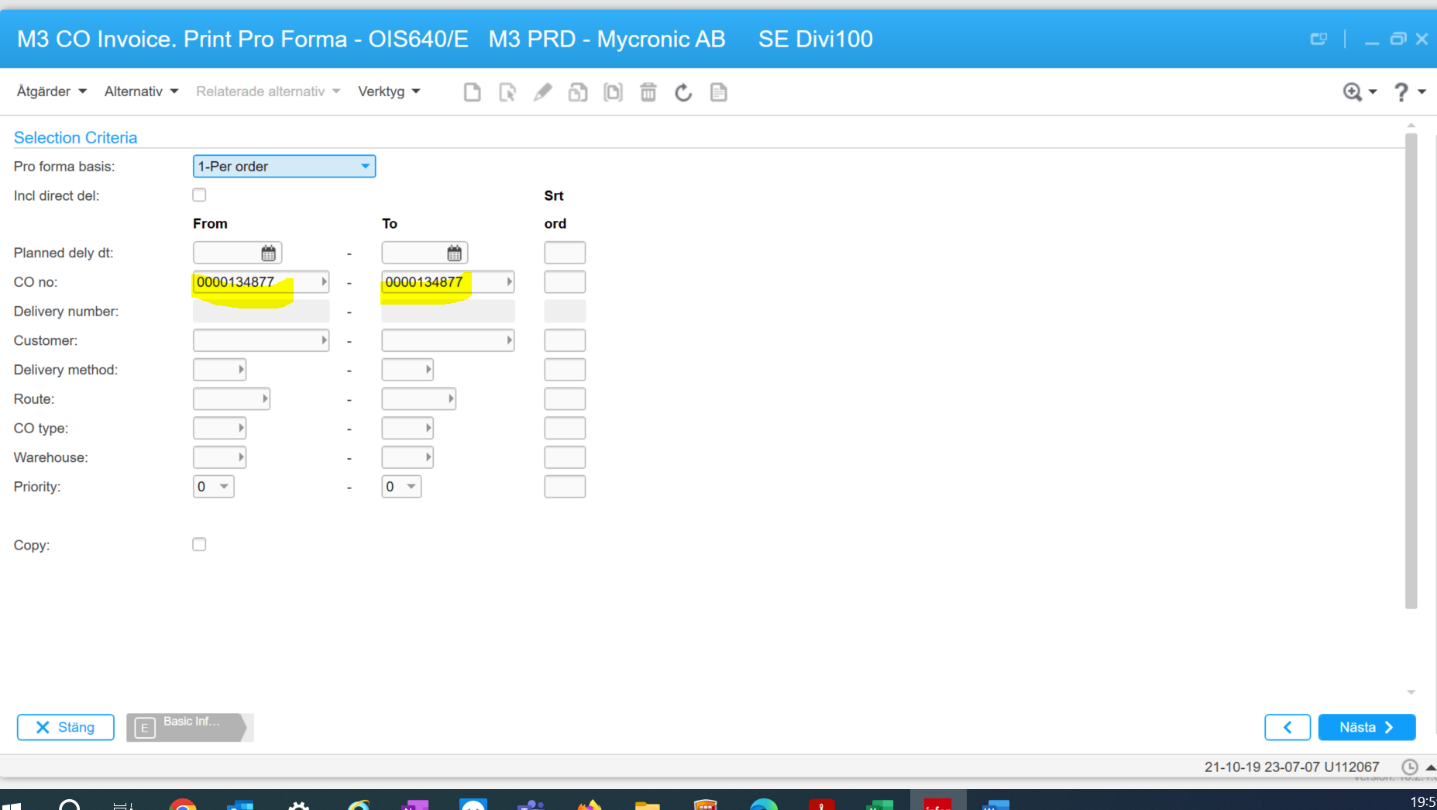
Whole order to be shipped:
OIS640– fill in yellow marked as per below;
 Go to
Go to
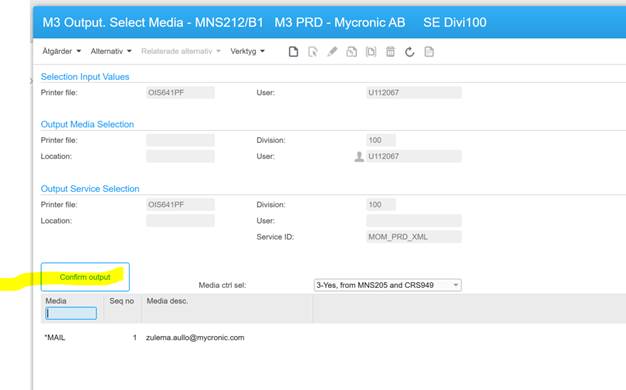
Print the proforma by clicking on Confirm Output.
An email will be recived with the proforma.
Check that the items are the same that in the picking list. If there are items from Whs 500, edit the proforma and delete them. Change the total value to the correct one.
Preparing bookings with UPS:
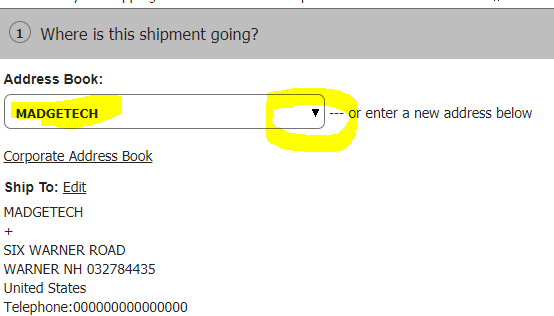
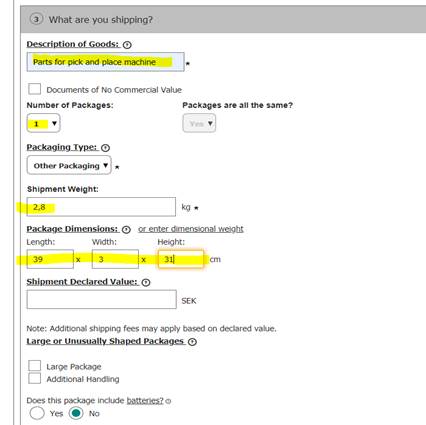
- The service should always be UPS EXPRESS , as long as it is allowed in the RULLGARDIN. If it isnt allowed, as this case then choose UPS Express Saver as per below.
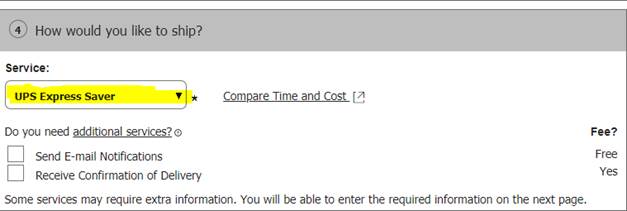
- Please note the PAYMENT, if the payor is the receiver it should look like below , all the necessary information is then already on the picking list.
- If MYCRONIC AB is the payor please don’t change anything, let it be by default.
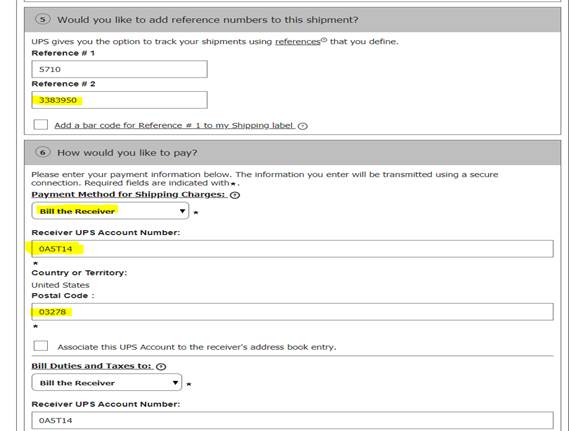
Go further by pushing NEXT-àNEXT
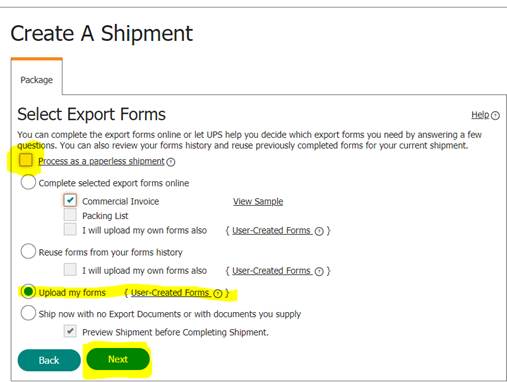
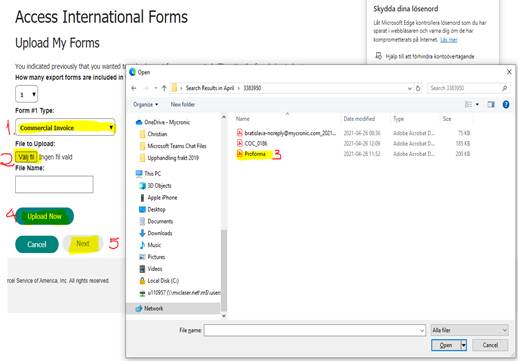
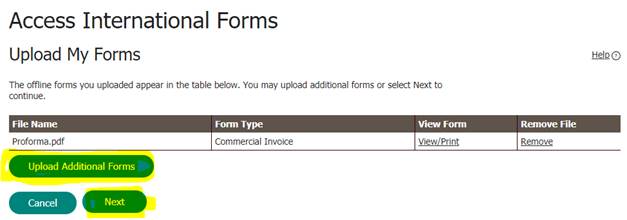


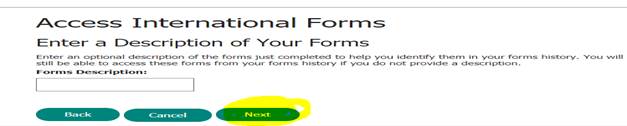

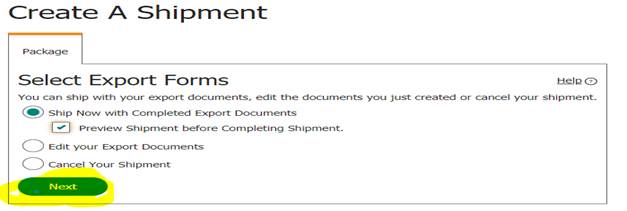
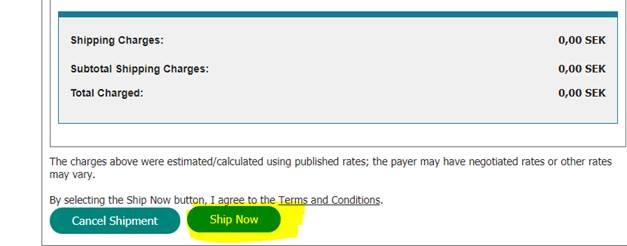
Go down to the page and press;
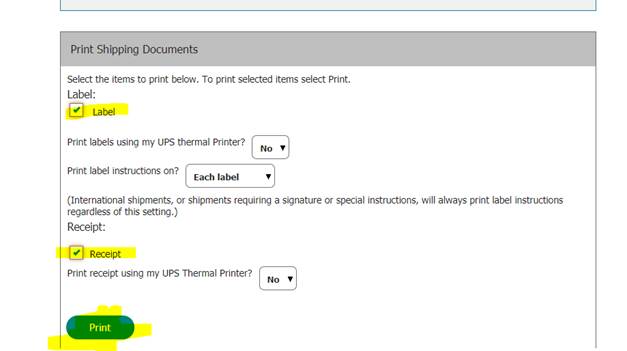
- Make sure that you save both below docs, the label as UPS label and UPS tracking
- If the order contains cartridge you have to attach a TSCA document.
[50_Spares_Machines_Electronic_Filing – USA – TSCA – Cartridge documents]
- Choose the paste you are shipping and write Entry number and Shipment number, which can be found on UPS label.
- Print to Brest and save in folder.
- Write the ordernumber in the subject and mail the documents to Spare US.
- Print UPS label, TSCA and COC on BREST .
Congrats u made it!!!
Was this article helpful?
That’s Great!
Thank you for your feedback
Sorry! We couldn't be helpful
Thank you for your feedback
Feedback sent
We appreciate your effort and will try to fix the article