Account: C900
Customer Information | |
Country | Germany daily orders |
Customer Name | Mycronic GmbH |
Delivery Address | Mycronic GmbH Inselkammerstrasse 10 82008 Unterhaching GERMANY |
Customer Number Facility Warehouse | C900 900 910 |
Contact Person | Heike Chassandis (Team Leader) |
Email Address | germany@mycronic.com (used for ups delivery notification) dieter.serschen@mycronic.com |
UPS account Schweiz shipment | Our account (Charging Germany on monthly basis) Proforma Invoice OIS150 + OIS640 |
Send Invoice and UPS Tracking to Germany | NO only orders placed from Sweden. |
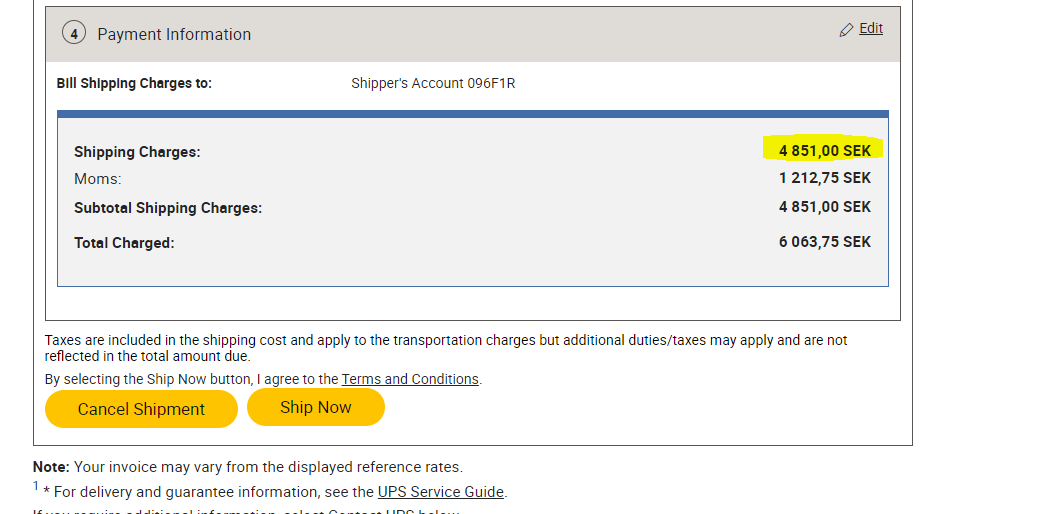
Add the freight value on separate excel file | “Germany Freight XXXX…” |
Archive all documents in the countries folder | YES |
Special requirements:
- When receiving the picking list, we just book via UPS express saver, print labels to warehouse, and send the shipments
- Always check if there are any special delivery requirements (By 9am or 12pm or standard…etc) or book with customer account.
- All URG orders shall be sent by UPS Express shipping
- Normal orders as UPS express saver
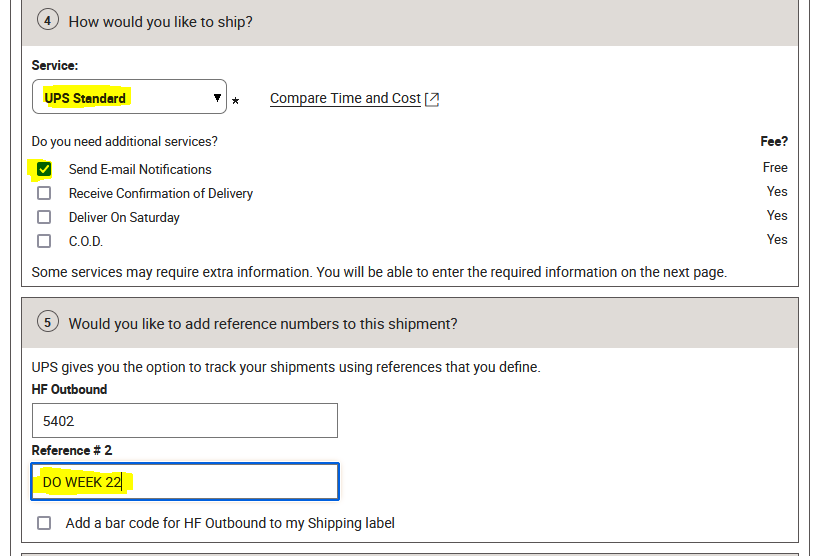
- Distribution orders as UPS standard (once every week on Tuesdays)
- When booking pallets use DHL, our account and put freight value in excel file.
Task | Complete (Y\N) | Notes |
Orders placed by us in Sweden: Send UPS Tracking (shipment receipt) invoice (in OIS180) and picking list to to the person who placed the order. See in OIS100. |
|
|
Add the freight value on separate excel file | YES | |
Archive all documents to the country’s folder | YES |
|
Fraktbokning:
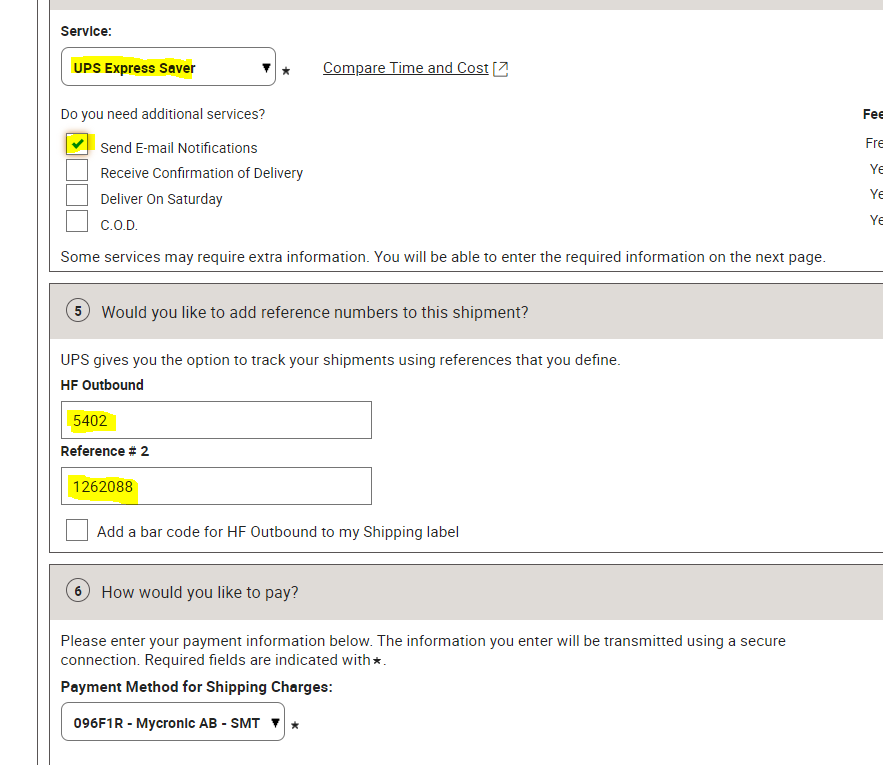
NEXT:
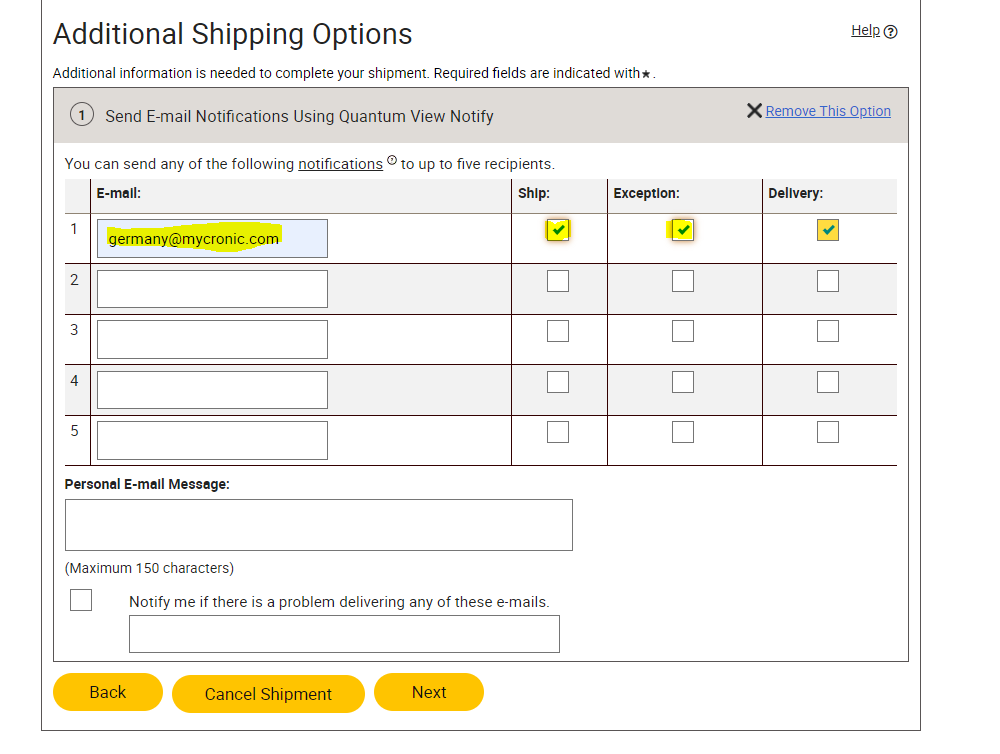
FREIGHT COST TO PUT IN EXCEL FILE:
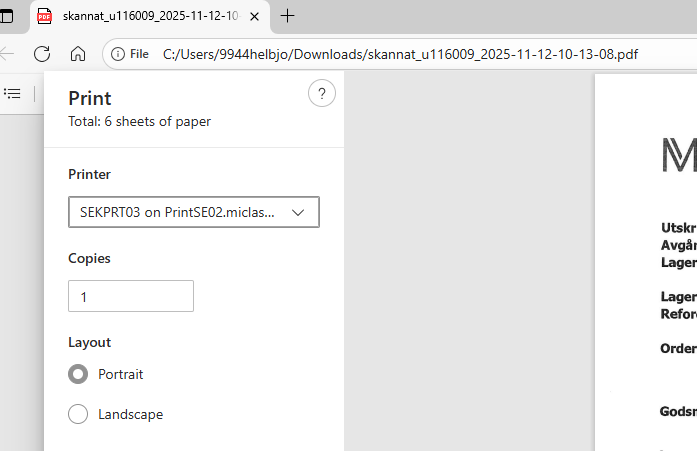
PRINT FIRST LABEL TO WHS (SEKPRT03 on PrintSE02)
SAVE ALSO LABEL IN THE FOLDER:
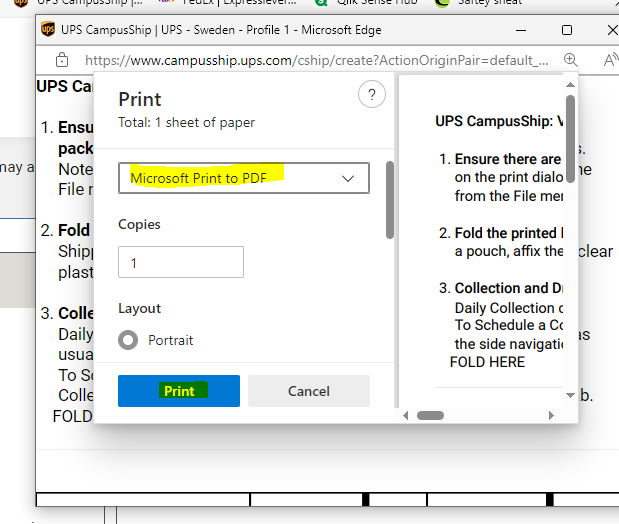
AND SAVE THE AWB:
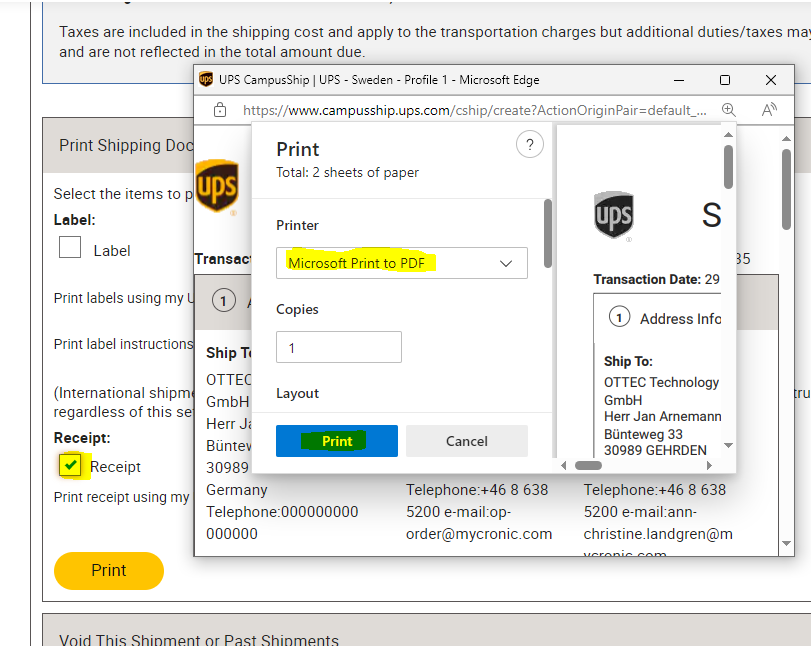
For distribution orders: DO
Was this article helpful?
That’s Great!
Thank you for your feedback
Sorry! We couldn't be helpful
Thank you for your feedback
Feedback sent
We appreciate your effort and will try to fix the article